Take Control of Your
Internet Speed
A transparent and fully customizable internet speed monitor developed for Windows that doesn't strain system resources.
Premium Features
Everything you need, nothing you don't.
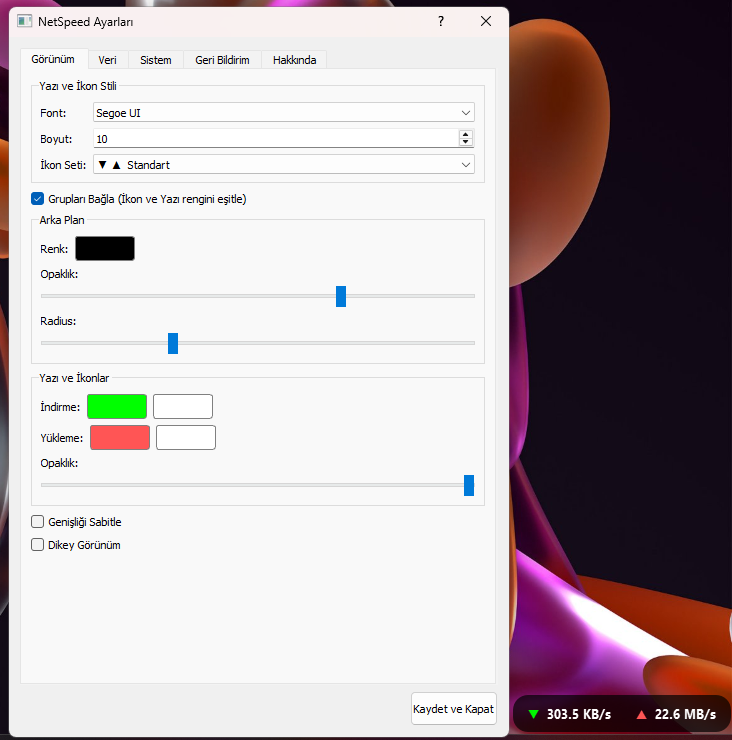
Full Customization
Colors, fonts, opacity, and corner rounding. Fit the program perfectly to your desktop.
Ultra Lightweight
Optimized with Python and PyQt5. You won't feel RAM and CPU usage while running in the background.
Ghost Mode
Make the background completely transparent, keep only the text. Modern and minimalist look.
Always on Top
Wherever it is on the screen, it always stays on top of other windows.
Smart Positioning
Drag and lock anywhere you want. It remembers its position when the computer restarts.
Secure Contact
Submit suggestions and bugs directly from within the app to the developer. API-based secure system.
Who is it for?
Why should you track your internet speed?
Gamers
Monitor lag and ping issues in real-time. See if your connection is stable without freezing the game.
Streamers
Check second-by-second if your upload speed drops while streaming via OBS.
Developers
Monitor network traffic during API requests or file uploads. Manage backend processes better.
Daily Users
Verify if your ISP is providing the promised speed. Detect background programs consuming your bandwidth.
Frequently Asked Questions
Q. Is the program free?
Yes, all current features of NetSpeed Monitor are completely free. We plan to introduce a 'Pro' plan with extra features for power users in the future, but the core features will always remain free.
Q. Is it compatible with Windows 11?
Yes, it works perfectly with Windows 10 and Windows 11 (64-bit) versions and adapts to your system theme (Dark/Light mode).
Q. Will it slow down my PC?
No. The program is optimized with Python and C++ infrastructure. It uses minimal system resources while running in the background.
Q. Is my data safe?
Absolutely. The application only reads the amount of data (speed) passing through your network adapter. It never monitors, records, or sends the content of visited sites or downloaded files to servers.
Choose Platform
Windows
Windows 10 and 11 (64-bit)
- Easy Installation (Setup.exe)
- Auto Start
- Clean Uninstaller